

Anúncios
GPS apps have revolutionized how we navigate, transforming smartphones into powerful navigation tools that guide millions of people daily through unfamiliar streets and destinations worldwide.
Gone are the days of paper maps and asking strangers for directions. Today’s GPS applications offer real-time traffic updates, voice-guided navigation, and intelligent route planning that adapts to changing road conditions. These digital companions have become indispensable tools for drivers, cyclists, pedestrians, and travelers exploring new territories.
Anúncios
Whether you’re commuting to work, planning a road trip, or simply trying to find the nearest coffee shop, GPS apps provide accurate, reliable navigation at your fingertips. With features ranging from offline maps to community-driven traffic alerts, these applications continue to evolve, offering increasingly sophisticated solutions for modern navigation challenges.
🗺️ Understanding How GPS Technology Powers Your Navigation App
Global Positioning System technology relies on a network of satellites orbiting Earth, constantly transmitting signals to receivers on the ground. Your smartphone contains a GPS receiver that calculates your precise location by measuring the time it takes for signals from multiple satellites to reach your device.
Anúncios


Most modern GPS apps require signals from at least four satellites to determine your exact position, including altitude. The more satellites your device connects with, the more accurate your location becomes. This triangulation process happens continuously, updating your position several times per second as you move.
Advanced GPS applications enhance basic satellite data with additional information from cellular towers, Wi-Fi networks, and accelerometers built into your phone. This combination creates a more robust positioning system that works even in challenging environments like urban canyons or dense forests where satellite signals might be partially blocked.
🚗 Top Features That Make GPS Apps Essential Travel Companions
Modern navigation apps go far beyond simply showing directions from point A to point B. They’ve evolved into comprehensive travel assistants packed with features designed to make every journey smoother and more efficient.
Real-Time Traffic Intelligence
One of the most valuable features in contemporary GPS apps is live traffic monitoring. These systems collect data from millions of users, traffic cameras, and road sensors to identify congestion, accidents, and road closures in real-time. The app automatically recalculates your route to avoid delays, potentially saving hours during peak traffic periods.
Community-driven apps like Waze take this further by allowing users to report hazards, police presence, speed cameras, and road obstacles. This crowdsourced information creates a dynamic map that reflects actual road conditions rather than just theoretical travel times.
Voice-Guided Navigation
Hands-free navigation keeps your eyes on the road while providing turn-by-turn directions through clear voice commands. Modern systems announce street names, lane guidance, and upcoming maneuvers with natural-sounding voices in multiple languages. Some apps even adjust volume based on ambient noise levels or music playback.
Offline Map Capabilities
Downloading maps for offline use ensures you never get lost, even without cellular data or internet connectivity. This feature proves invaluable when traveling internationally, exploring rural areas, or conserving mobile data. Users can download entire countries or specific regions, accessing full navigation features without requiring an active connection.

Multi-Stop Route Planning
Planning trips with multiple destinations becomes effortless with apps that optimize routes across several stops. The system automatically arranges waypoints in the most efficient order, minimizing total travel time and distance. This functionality benefits delivery drivers, sales representatives, and anyone running multiple errands.
Points of Interest Discovery
GPS apps function as comprehensive travel guides, highlighting nearby restaurants, gas stations, hotels, attractions, and services. Many integrate user reviews, photos, and ratings from platforms like Google Reviews or TripAdvisor, helping you make informed decisions about where to stop along your journey.
📱 Choosing the Right GPS App for Your Needs
With dozens of navigation apps available, selecting the one that best matches your requirements depends on several factors. Consider your typical travel patterns, preferred features, and device capabilities when making your choice.
Waze excels for daily commuters who benefit from real-time traffic updates and community alerts. Its social features create an engaged user base constantly updating road conditions. Google Maps offers comprehensive coverage worldwide with detailed business information, public transit directions, and street view imagery. Apple Maps integrates seamlessly with iOS devices, providing clean interfaces and privacy-focused navigation.
Specialized apps serve specific audiences effectively. MapFactor Navigator appeals to truckers with features like height and weight restrictions. Komoot targets outdoor enthusiasts with hiking and cycling route recommendations. Sygic offers premium features like dashcam recording and head-up display projection.
🌟 Maximizing Battery Life During GPS Navigation
GPS navigation can drain smartphone batteries quickly, potentially leaving you stranded without power. Understanding which settings and behaviors consume the most energy helps you extend usage time during long trips.
Screen brightness represents one of the largest battery drains during navigation. Reducing brightness to the minimum comfortable level significantly extends battery life. Many apps offer night mode or dark themes that reduce power consumption, especially on devices with OLED screens.
Disabling unnecessary features like Bluetooth, Wi-Fi scanning, and background app refresh conserves power when navigating. Close unused applications running in the background, as they consume processing power and energy even when not actively displayed.
Using offline maps dramatically reduces battery consumption compared to streaming map data continuously over cellular networks. Download your route before departing, then switch to airplane mode with GPS enabled to maximize efficiency.
Investing in a quality car charger ensures your device stays powered during vehicle travel. Choose chargers rated for fast charging compatible with your phone model to maintain battery levels even while actively navigating with the screen on.
🔒 Privacy Considerations When Using GPS Applications
Location tracking raises legitimate privacy concerns as GPS apps continuously monitor your movements. Understanding how applications collect, store, and share location data empowers you to make informed decisions about which services to trust.
Most navigation apps collect location history to improve routing algorithms, predict traffic patterns, and personalize recommendations. Review privacy settings within each app to control whether your location history gets saved, shared with third parties, or used for advertising purposes.
Consider using apps that prioritize privacy, like Apple Maps, which processes much location data directly on your device rather than sending it to servers. Some applications offer incognito modes that prevent saving searches and destinations to your account history.
Regularly review and delete location history through your app settings and device privacy controls. Both Android and iOS provide centralized location permission management where you can restrict which apps access your position and when they’re allowed to track you.
🚀 Advanced GPS Features Transforming Modern Navigation
Emerging technologies continue expanding GPS app capabilities beyond traditional navigation. Augmented reality overlays digital directions onto live camera views, making complex intersections and turns easier to understand. Simply point your phone’s camera at the street ahead, and arrows appear directly on the real-world view.
Artificial intelligence predicts your destination based on time, day, and location patterns. Your app might automatically suggest navigation home from work on weekday evenings or to your favorite weekend breakfast spot on Saturday mornings without requiring input.
Integration with smart home devices and automotive systems creates seamless experiences. Send destinations from your phone to your car’s infotainment system, or ask voice assistants like Alexa or Google Assistant to start navigation hands-free.
Electric vehicle owners benefit from specialized features that identify charging stations along routes, calculate range based on terrain and driving conditions, and plan trips accounting for charging times. These functions address unique concerns facing EV drivers on longer journeys.
🌍 GPS Apps for International Travel Adventures
Exploring foreign countries introduces navigation challenges like language barriers, unfamiliar road systems, and expensive data roaming charges. Preparing your GPS app properly before international trips prevents frustration and keeps you connected regardless of local conditions.
Download complete offline maps for your destination countries before departure. This preparation ensures full navigation capabilities without requiring expensive international data plans or relying on inconsistent Wi-Fi availability. Most apps allow downloading entire continents, countries, or regions.
Language settings deserve attention when traveling abroad. Configure your app to provide directions in your native language even when navigating foreign streets with local names. Some applications offer pronunciation guides helping you communicate addresses to taxi drivers or locals.
Research local traffic laws and navigation conventions before driving in unfamiliar countries. Speed limit displays, distance units (kilometers vs. miles), and traffic flow patterns vary globally. Many GPS apps automatically adapt to local conventions when crossing borders.
Public transportation modes integrated into navigation apps prove invaluable in cities with comprehensive metro, bus, and train networks. Apps like Google Maps and Citymapper provide detailed transit directions including schedules, platform information, and real-time arrival predictions.
💡 Tips for Getting the Most Accurate GPS Navigation
Signal quality directly impacts navigation accuracy and reliability. Several simple practices ensure your GPS app performs optimally, providing precise positioning and timely route guidance.
Maintain clear sky visibility whenever possible. GPS signals travel from satellites to your device, and physical obstructions like buildings, bridges, or dense tree cover can block or weaken these transmissions. Position your phone near windows when starting navigation to acquire initial satellite locks faster.
Keep your GPS app updated to the latest version. Developers continuously improve accuracy algorithms, expand map coverage, and fix bugs that might affect performance. Enable automatic updates to ensure you always run the most current software.
Calibrate your phone’s compass regularly by moving it in a figure-eight pattern. This process helps the internal sensors determine magnetic north accurately, improving directional accuracy especially when navigating on foot or starting from a stationary position.
Clean your phone’s GPS antenna area, typically located near the top or back of the device. Dirt, moisture, or phone cases with metal components can interfere with signal reception, degrading positioning accuracy or increasing the time required to establish satellite connections.
🛣️ The Future of GPS Navigation Technology
Next-generation positioning systems promise even greater accuracy and reliability than current GPS technology. The European Union’s Galileo system, China’s BeiDou constellation, and Russia’s GLONASS network provide alternative satellite positioning services. Modern smartphones receive signals from multiple systems simultaneously, dramatically improving accuracy and availability worldwide.
5G cellular networks enable new location-based services with centimeter-level precision in urban environments. This accuracy supports emerging applications like autonomous vehicles, robotic delivery systems, and augmented reality experiences that require exact positioning.
Machine learning algorithms predict traffic patterns more accurately by analyzing historical data, weather conditions, events, and countless other variables. These systems anticipate congestion before it forms, proactively routing drivers around potential delays.
Integration with vehicle-to-vehicle (V2V) and vehicle-to-infrastructure (V2I) communication systems will enable GPS apps to receive real-time data directly from cars, traffic signals, and road sensors. This connectivity creates smarter navigation that responds instantly to changing conditions.
🎯 Making GPS Navigation Work for Different Transportation Modes
Modern navigation apps adapt to various travel methods, optimizing routes based on whether you’re driving, cycling, walking, or using public transit. Each mode requires different considerations regarding speed, allowed routes, and infrastructure availability.
Cycling navigation accounts for bike lanes, trail conditions, and elevation changes. Many apps let you choose between fastest routes, flattest paths, or scenic trails based on your fitness level and preferences. Electric bike riders can find routes optimized for their specific capabilities.
Pedestrian navigation takes shortcuts through parks, plazas, and walkways unavailable to vehicles. Walking directions often prioritize sidewalk availability, crosswalk locations, and accessibility features for users with mobility challenges.
Public transportation modes combine multiple transit types into single journey plans. Apps calculate optimal combinations of buses, trains, ferries, and walking segments, providing real-time updates when delays affect your connections.
Motorcycle riders benefit from apps highlighting scenic routes, avoiding unpaved roads, and warning about sharp curves or steep grades. Some applications cater specifically to touring riders planning multi-day adventures with overnight stops and points of interest.
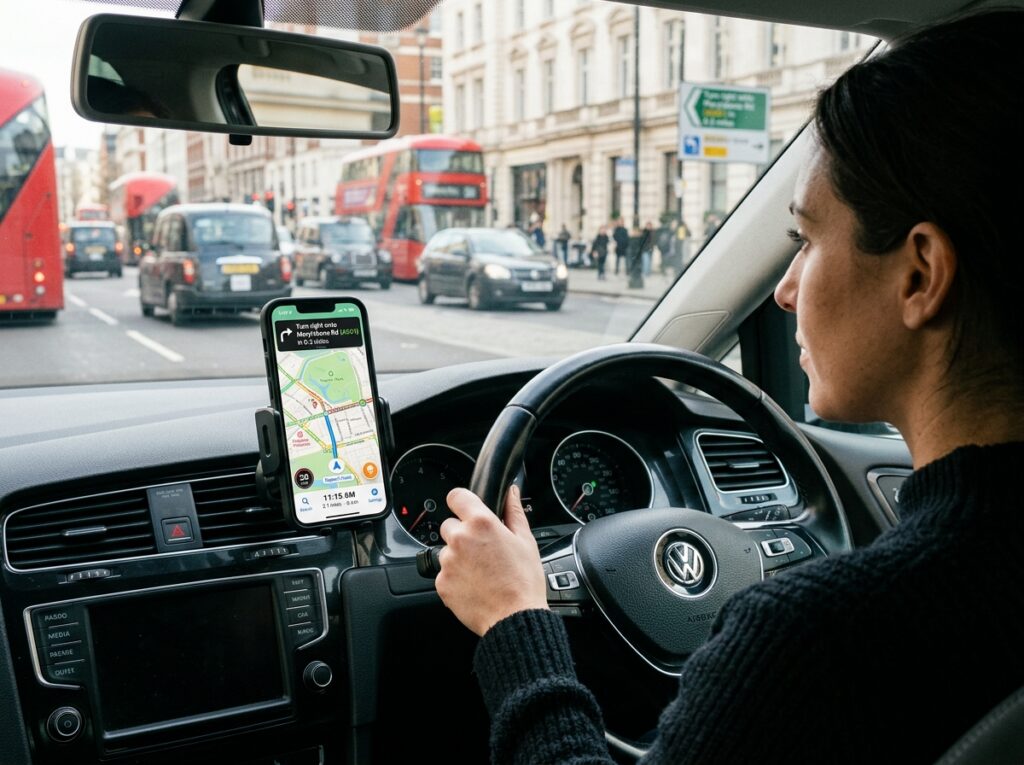
✨ Enhancing Road Safety Through Smart GPS Features
Navigation apps increasingly incorporate safety features that protect drivers and passengers. Speed limit warnings alert you when exceeding posted limits, helping avoid tickets and dangerous situations. These notifications adapt to changing speed zones automatically as you travel.
Fatigue alerts remind drivers to take breaks during long journeys. Based on total driving time and distance covered, apps suggest rest stops, restaurants, or hotels where you can refresh before continuing. Some systems detect erratic driving patterns that might indicate drowsiness.
School zone and pedestrian crossing warnings increase awareness in areas requiring extra caution. These alerts notify drivers when approaching locations with vulnerable road users, encouraging reduced speeds and heightened attention.
Emergency assistance features quickly contact help services when needed. Some apps detect accidents through sudden deceleration and automatically notify emergency contacts or services, potentially saving lives when drivers cannot call for help themselves.
Lane guidance and junction view displays reduce confusion at complex intersections. Visual representations show exactly which lane to occupy, eliminating last-minute lane changes that cause accidents and traffic disruptions.
GPS applications have fundamentally changed how we explore our world, transforming navigation from a challenging skill into an accessible tool anyone can master. As technology continues advancing, these apps will become even more intelligent, accurate, and integrated into our daily lives, guiding us safely and efficiently wherever our journeys lead.
