
Anúncios
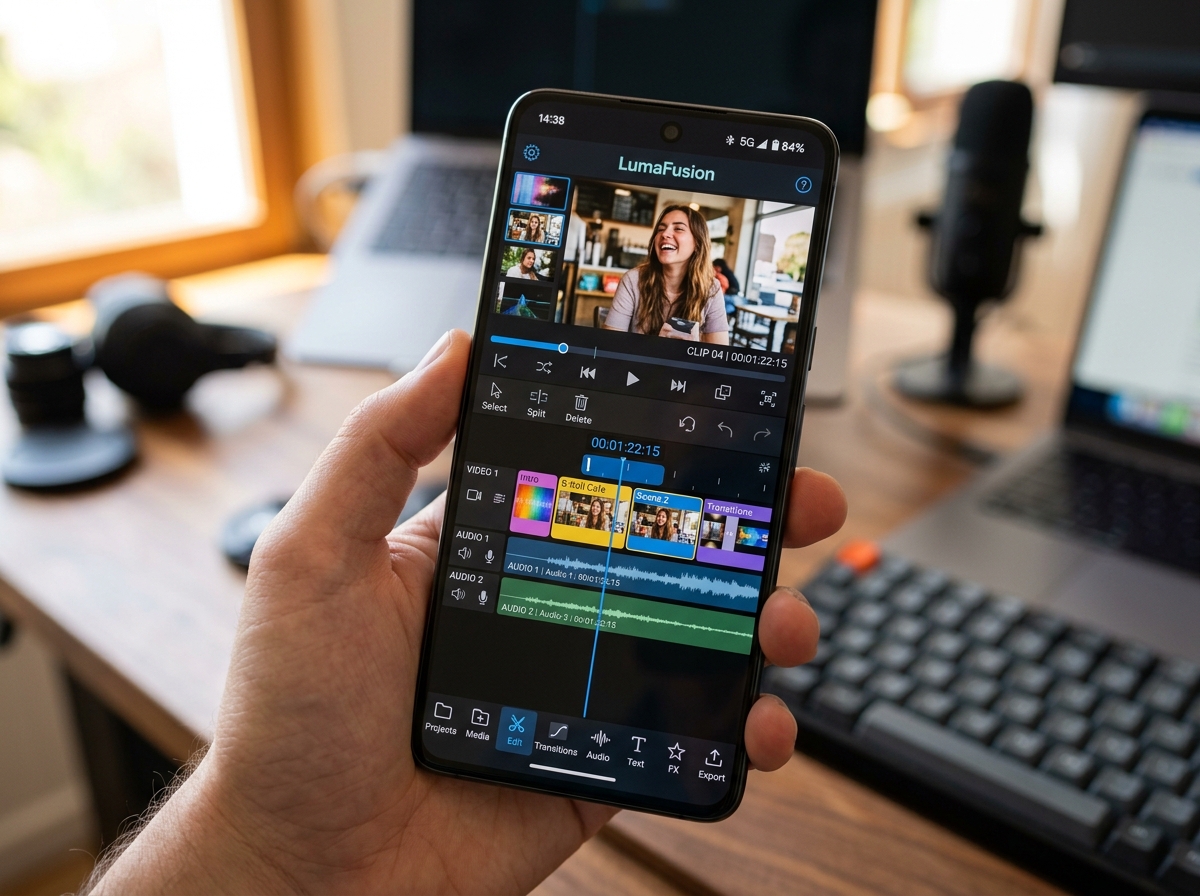
Video editing apps have revolutionized how creators produce content, offering powerful tools right at your fingertips for crafting stunning videos anytime, anywhere.
Gone are the days when professional video editing required expensive desktop software and years of training. Today’s mobile video editing applications bring Hollywood-level capabilities to smartphones and tablets, democratizing content creation for everyone from social media influencers to small business owners.
Anúncios
Whether you’re creating content for TikTok, Instagram Reels, YouTube, or professional presentations, choosing the right video editor app can dramatically improve your workflow and final output quality. Let’s explore everything you need to know about these powerful creative tools.
📱 Why Mobile Video Editing Has Become Essential
The shift toward mobile-first content creation isn’t just a trend—it’s a fundamental change in how we communicate visually. Mobile devices now account for over 70% of video consumption worldwide, making it logical that creation tools would follow the same pattern.
Anúncios


Modern video editing apps offer capabilities that were once exclusive to desktop software. Features like multi-layer timelines, color grading, motion tracking, and advanced audio editing now fit comfortably in your pocket. This accessibility means you can capture, edit, and publish content within minutes, maintaining relevance in fast-paced digital environments.
The convenience factor cannot be overstated. Imagine filming a product launch, editing the footage during your commute, and publishing it before arriving home. This flexibility has transformed industries from journalism to marketing, enabling real-time storytelling that resonates with audiences.
🎬 Key Features to Look for in Video Editing Applications
Not all video editing apps are created equal. Understanding which features matter most for your specific needs will help you choose the perfect tool for your creative projects.
Timeline and Layer Management
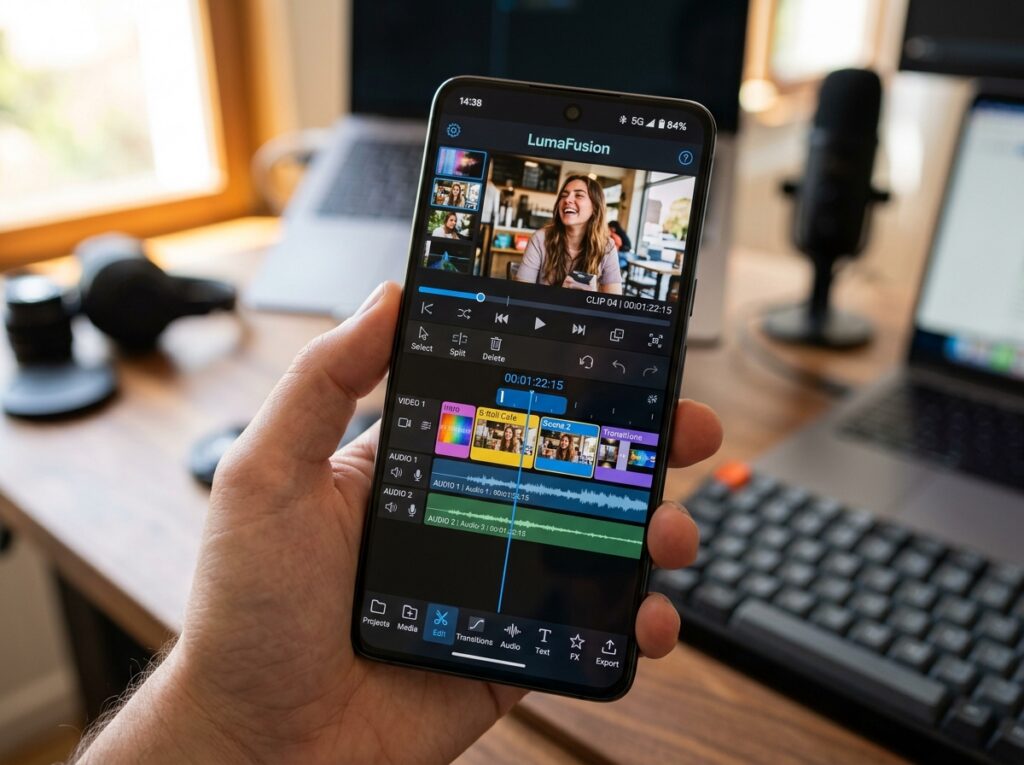
A robust timeline is the backbone of any serious editing application. Look for apps that support multiple video layers, allowing you to overlay footage, graphics, and effects. The ability to zoom in and out of your timeline for precise editing makes trimming and synchronization far more accurate.
Professional-grade apps offer magnetic timelines that automatically snap clips together, eliminating gaps and streamlining your workflow. Some also include storyboard modes for beginners who prefer a simplified visual approach to sequencing clips.
Transition and Effect Library
Transitions help your video flow smoothly from one scene to another. Quality apps provide dozens of transition options beyond basic cuts and fades, including cinematic wipes, morphs, and geometric animations.
Effects range from color filters and LUTs (Look-Up Tables) to advanced compositing tools. The best applications regularly update their effect libraries, keeping your content fresh and on-trend with current visual styles.
Audio Editing Capabilities ✨
Great visuals paired with poor audio will tank even the most beautifully shot video. Your chosen app should include comprehensive audio tools such as volume normalization, fade in/out controls, and noise reduction.
Look for apps that support multiple audio tracks, allowing you to layer music, voiceovers, and sound effects. Some advanced applications even include audio ducking, which automatically lowers music volume when dialogue is present.
Export Options and Quality Settings
Export flexibility determines how versatile your finished videos will be across different platforms. Your app should support various resolutions from standard HD to 4K, with customizable frame rates and bitrates.
Platform-specific presets for Instagram, TikTok, YouTube, and other services save time and ensure optimal quality for each destination. Watermark-free exports are essential for professional work, though some free apps include branding on final videos.

🌟 Popular Video Editing Apps and Their Strengths
The app marketplace offers countless video editing solutions, each with unique strengths tailored to different user needs and skill levels.
CapCut: The Social Media Powerhouse
CapCut has exploded in popularity thanks to its comprehensive free feature set and seamless integration with TikTok. The app offers professional-grade editing tools without overwhelming beginners, striking an excellent balance between power and accessibility.
Its standout features include automatic caption generation, extensive music library, trending effect templates, and smooth performance even on mid-range devices. The ability to create viral-style content quickly makes it a favorite among social media creators.
Adobe Premiere Rush: Professional Power Simplified
As Adobe’s mobile offering, Premiere Rush brings legitimacy and professional-level capabilities to smartphone editing. The app syncs seamlessly with desktop versions, allowing you to start projects on mobile and finish them on your computer.
Rush excels at color grading, audio mixing, and motion graphics. Its learning curve is steeper than casual apps, but the investment pays off with outputs that rival desktop-edited content.
InShot: Versatility Meets Simplicity
InShot appeals to users who want straightforward editing without sacrificing essential features. Its intuitive interface makes it perfect for quick edits, while deeper menus reveal advanced tools for more complex projects.
The app particularly shines in aspect ratio management, making it easy to repurpose content for different platforms. Stickers, text animations, and speed controls add creative flair without complicating the editing process.
💡 Tips for Creating Professional-Looking Videos on Mobile
Having powerful tools means little without understanding how to use them effectively. These practical tips will elevate your mobile video editing from amateur to professional quality.
Master the Fundamentals First
Before diving into advanced effects, ensure you’ve mastered basic cuts, transitions, and pacing. Clean, well-timed edits create a professional foundation that fancy effects can enhance but never replace.
Study pacing in professional content within your niche. Notice how long shots linger, when cuts occur, and how rhythm matches the mood. Replicating these patterns will immediately improve your work.
Leverage Templates Strategically
Templates aren’t cheating—they’re time-savers that maintain consistency across your content. Most modern apps include customizable templates for intros, outros, lower thirds, and full video structures.
Personalize templates with your brand colors, fonts, and logos to create a signature style. This approach lets you produce content quickly while maintaining a professional, cohesive look across all videos.
Plan Your Edit Before You Start 📋
Randomly assembling clips leads to disjointed videos that lose viewer attention. Before opening your editing app, outline your video’s structure: introduction, main content sections, and conclusion.
Review all your footage first, marking the best takes and noting where each clip fits in your outline. This preparation reduces editing time dramatically and results in tighter, more focused final videos.
Pay Attention to Audio Quality
Poor audio is the fastest way to lose viewers. Always use headphones while editing to catch background noise, audio clipping, or synchronization issues that speakers might mask.
Layer ambient sound or subtle background music to fill silence and maintain engagement. Just ensure dialogue remains clearly audible—aim for music to sit about 15-20dB below voice levels.
🚀 Advanced Techniques for Power Users
Once you’ve mastered the basics, these advanced techniques will distinguish your content from the competition.
Color Grading for Mood and Consistency
Color grading transforms ordinary footage into cinematic experiences. Start by adjusting basic parameters like exposure, contrast, and saturation, then move to specific color wheels for shadows, midtones, and highlights.
Create custom LUTs or presets for your brand’s signature look, then apply them consistently across videos. This visual consistency helps viewers instantly recognize your content.
Keyframe Animation
Keyframes allow you to animate virtually any parameter over time—position, scale, rotation, opacity, and effects. This technique creates dynamic motion graphics that grab attention and emphasize key points.
Start simple by animating text entries and exits, then progress to complex multi-element animations. Smooth easing (the acceleration and deceleration of movements) makes animations feel professional rather than robotic.
Green Screen Compositing
Chroma key technology lets you replace backgrounds, placing subjects in virtually any environment. Many mobile apps now include surprisingly capable green screen tools that rival desktop software.
Ensure even lighting on your green screen and subject for clean keying. Fine-tune edge feathering and spill suppression to blend your subject naturally into the new background.
📊 Understanding Export Settings for Different Platforms
Each social media platform has specific video requirements for optimal quality and performance. Using correct export settings prevents quality loss and ensures your content displays perfectly.
| Platform | Recommended Resolution | Aspect Ratio | Max Duration |
|---|---|---|---|
| Instagram Feed | 1080x1080px | 1:1 | 60 seconds |
| Instagram Reels | 1080x1920px | 9:16 | 90 seconds |
| TikTok | 1080x1920px | 9:16 | 10 minutes |
| YouTube | 1920x1080px | 16:9 | Unlimited |
| YouTube Shorts | 1080x1920px | 9:16 | 60 seconds |
Always export at the highest quality your app allows, even if the platform compresses files. Starting with superior source material ensures better results after platform processing.
🎯 Common Mistakes to Avoid When Editing Videos
Even experienced editors occasionally fall into these traps. Awareness helps you avoid them and maintain professional standards.
Over-Editing and Effect Overload
Access to hundreds of effects tempts creators to use them all. Resist this urge. Every transition, filter, and animation should serve a purpose—either advancing the story or reinforcing your message.
When in doubt, choose simplicity. Clean, understated editing often looks more professional than flashy over-production. Let your content shine rather than drowning it in effects.
Ignoring Mobile Preview
Most video consumption happens on mobile devices, yet many creators only preview their work on large screens during editing. Always check how your video looks on an actual phone before publishing.
Text that’s readable on tablets might become illegible on smartphones. Visual elements that look balanced on large displays might feel cramped or poorly positioned on smaller screens.
Inconsistent Branding
Using different fonts, colors, or styles across videos creates a disjointed brand identity. Establish clear brand guidelines including specific fonts, color palettes, logo placements, and intro/outro formats.
Save these elements as templates or presets in your editing app for quick access. Consistency builds recognition and professionalism that audiences notice and appreciate.
🔮 The Future of Mobile Video Editing
Technology continues advancing at breakneck speed, and video editing apps evolve alongside it. Understanding emerging trends helps you stay ahead of the curve.
AI-Powered Editing Assistants
Artificial intelligence is revolutionizing video editing through automated tasks that once consumed hours. Smart apps now offer automatic scene detection, optimal cut suggestions, and even content-aware object removal.
Voice-to-text transcription creates captions instantly, while AI color matching ensures consistent looks across different footage sources. These features democratize professional techniques that previously required extensive training.
Cloud Collaboration Features
Modern editing apps increasingly support cloud-based workflows where teams can access, edit, and comment on projects from anywhere. This collaboration mirrors professional studio workflows while maintaining mobile convenience.
Version control prevents conflicting edits, while shared asset libraries ensure everyone uses approved brand materials. These features transform mobile apps from solo tools into legitimate collaborative platforms.
Augmented Reality Integration
AR effects are moving beyond simple face filters into sophisticated visual enhancements. Future apps will offer real-time environmental analysis, allowing you to add virtual objects that interact naturally with physical spaces.
This technology will blur lines between filming and editing, as effects apply during capture rather than post-production. The result will be faster workflows and more immersive content experiences.
✅ Making Your Final App Selection
With countless options available, choosing the right video editing app depends on your specific needs, skill level, and content goals.
Beginners should prioritize intuitive interfaces with plenty of tutorials and community support. Apps like CapCut and InShot offer gentle learning curves while still providing room to grow as your skills develop.
Intermediate users might prefer apps balancing ease of use with advanced features. Look for applications offering timeline precision, detailed color controls, and comprehensive audio tools without overwhelming complexity.
Professional creators need apps supporting their existing workflows, potentially including desktop software integration, high-resolution exports, and no watermarks. Consider whether subscription costs justify the professional features you’ll actually use.
Most importantly, download several apps and test them with real projects before committing. Many offer free versions or trials, letting you experience their workflows firsthand. The best app for you is the one that feels natural while delivering results that match your vision.
Video editing apps have democratized content creation, placing professional tools in everyone’s hands. Whether you’re building a social media presence, creating marketing content, or simply preserving memories creatively, the right app transforms your raw footage into polished, engaging videos that captivate audiences.
Start exploring today, experiment fearlessly, and watch your creative vision come to life through the power of mobile video editing. 🎥
