
Anúncios
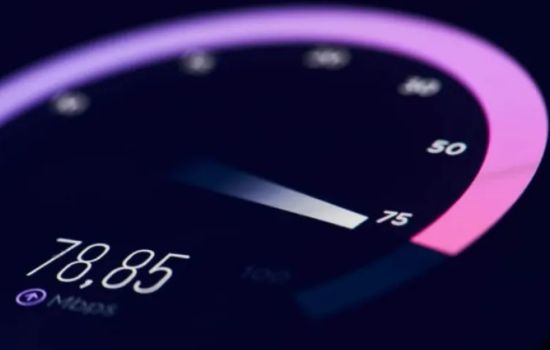
Testing your internet connection has never been easier thanks to modern speed test apps that deliver real-time insights into your network performance, helping you troubleshoot issues and optimize your online experience.
Whether you’re streaming your favorite shows, working remotely, or gaming online, a stable and fast internet connection is essential. But how do you know if you’re getting what you’re paying for? Internet speed test applications provide a simple, accurate way to measure your connection quality anytime, anywhere.
Anúncios
These handy tools have evolved from basic desktop websites into powerful mobile applications packed with features. They not only measure download and upload speeds but also analyze latency, jitter, packet loss, and even provide historical data to track your network performance over time. Let’s explore everything you need to know about internet speed test apps and how they can enhance your digital life. 🚀
Why You Need an Internet Speed Test App on Your Phone 📱
Having a dedicated speed test app installed on your smartphone offers convenience that browser-based tests simply can’t match. With a single tap, you can instantly check your connection quality without typing URLs or navigating through websites.
Anúncios
Mobile apps also store your testing history, allowing you to compare results across different times, locations, and network providers. This feature proves invaluable when troubleshooting persistent connection issues or evaluating whether your ISP is delivering promised speeds.
Furthermore, these applications work seamlessly on both Wi-Fi and mobile data networks, giving you the flexibility to test any connection you encounter. Whether you’re at a coffee shop, airport, hotel, or friend’s house, you’ll know exactly what kind of performance to expect.


Understanding the Key Metrics Measured by Speed Test Apps 📊
Modern internet speed test applications measure several crucial parameters that collectively define your connection quality. Understanding these metrics helps you interpret results accurately and identify specific problems.
Download Speed: The Foundation of Your Online Experience
Download speed measures how quickly data travels from the internet to your device, typically expressed in megabits per second (Mbps). This metric directly impacts activities like streaming videos, downloading files, loading web pages, and browsing social media.
Most internet activities prioritize download speed over upload speed, which is why ISPs typically advertise their download capabilities most prominently. A good download speed for general browsing ranges from 25-50 Mbps, while streaming 4K content requires at least 25 Mbps per device.
Upload Speed: Essential for Content Creators and Remote Workers
Upload speed indicates how fast your device can send data to the internet. While generally lower than download speeds in most consumer plans, upload performance matters significantly for video conferencing, cloud backups, sending large files, and live streaming.
If you frequently participate in Zoom meetings, upload content to YouTube, or work with cloud-based applications, pay close attention to this metric. Insufficient upload speed causes frozen video calls, failed file transfers, and frustrating delays.
Ping and Latency: The Speed That Actually Matters for Gaming
Ping measures the time it takes for a small data packet to travel from your device to a server and back, expressed in milliseconds (ms). Lower ping values indicate more responsive connections, crucial for real-time activities like online gaming and video calls.
For competitive gaming, you’ll want ping values below 20ms for optimal performance. Values between 20-50ms remain acceptable for most activities, while anything above 100ms may cause noticeable lag and delays during interactive sessions.
Jitter: The Consistency Factor
Jitter measures the variation in ping over time, indicating connection stability. High jitter values suggest an inconsistent connection that fluctuates unpredictably, leading to stuttering video calls and erratic gaming experiences.
Ideally, jitter should remain below 30ms for stable performance. If your tests consistently show high jitter, the problem may lie with network congestion, poor routing, or hardware issues requiring investigation.
Features That Distinguish Premium Speed Test Applications 🌟
While basic speed testing functionality remains similar across most apps, premium applications offer advanced features that provide deeper insights into your network performance and help diagnose complex connectivity issues.
Historical Data and Performance Tracking
Top-tier speed test apps maintain comprehensive logs of your past tests, presenting data through intuitive graphs and charts. This historical perspective helps identify patterns, such as whether your connection degrades during peak hours or performs differently on specific days.
Some applications even use this data to create personalized reports, comparing your results against averages in your area or across different ISPs. This information becomes particularly valuable when deciding whether to upgrade your plan or switch providers.
Server Selection and Global Testing
Advanced apps allow you to manually select test servers in different geographic locations, enabling you to check connection quality to specific regions. This feature matters if you regularly access content or services hosted in particular countries.
For example, if you frequently stream content from European servers, testing your connection to those specific locations provides more relevant information than testing against the nearest local server.
Network Diagnostics and Troubleshooting Tools
Beyond basic speed measurements, sophisticated applications include diagnostic tools that analyze various aspects of your network. Features might include DNS lookup tests, traceroute functionality, packet loss detection, and signal strength monitoring for wireless connections.
These diagnostic capabilities help pinpoint exactly where problems occur—whether it’s your device, router, local network, ISP infrastructure, or the destination server—making troubleshooting significantly more efficient.
How to Perform Accurate Internet Speed Tests 🎯
Obtaining reliable speed test results requires following certain best practices that minimize external factors which might skew measurements. Random testing without proper preparation often produces inconsistent results that don’t accurately reflect your true connection capacity.
Preparing Your Device for Testing
Before running a speed test, close all background applications that might consume bandwidth. This includes streaming services, cloud sync programs, downloads, and automatic updates. Even seemingly inactive apps can transfer data in the background, affecting results.
For the most accurate Wi-Fi tests, position yourself close to your router to eliminate signal strength variables. Alternatively, test using an Ethernet connection to measure your raw internet speed without wireless interference.
Testing at Different Times
Network performance fluctuates throughout the day based on usage patterns in your area. Running multiple tests at different times—morning, afternoon, evening, and late night—provides a comprehensive picture of your connection’s true capabilities.
If you consistently notice slower speeds during evening hours, you’re likely experiencing network congestion when many neighbors use the internet simultaneously. This information helps set realistic expectations and might justify upgrading to a higher-tier plan.
Testing Both Wi-Fi and Mobile Data
Don’t limit your testing to just one connection type. Regularly measure both your home Wi-Fi and mobile data performance to understand the quality of each network you depend on throughout your day.
Comparing these results helps identify whether specific problems originate from your home network setup or your mobile carrier’s coverage in your area. This distinction proves crucial when deciding which service might need troubleshooting or upgrading.

Interpreting Your Speed Test Results: What Numbers Mean 📈
Raw speed test numbers don’t tell the complete story unless you understand how they relate to your actual internet usage. Different online activities require varying levels of performance across different metrics.
Speed Requirements for Common Activities
Basic web browsing and email require minimal bandwidth—as little as 1-5 Mbps download speed. Social media scrolling typically needs 5-10 Mbps, while standard definition video streaming requires approximately 3-4 Mbps per stream.
High-definition streaming demands 5-8 Mbps per device, while 4K content requires 25 Mbps or more. For households with multiple users streaming simultaneously, multiply these numbers by the number of concurrent streams to determine adequate speed.
Online gaming actually requires modest download speeds (3-6 Mbps) but prioritizes low latency and stable connections. Upload speed becomes crucial for streamers broadcasting their gameplay—generally requiring at least 5-10 Mbps for decent quality.
Comparing Results Against Your Plan
ISPs advertise maximum theoretical speeds under ideal conditions, but real-world performance typically reaches 60-80% of advertised speeds. If your tests consistently show significantly lower results, contact your provider to investigate potential issues.
Remember that ISPs often advertise “up to” specific speeds, meaning those figures represent best-case scenarios rather than guaranteed minimums. However, regularly receiving less than half your advertised speed indicates a problem requiring attention.
Common Issues Revealed by Speed Tests and How to Fix Them 🔧
Speed test applications don’t just identify problems—they help diagnose their sources. Understanding common issues and their solutions empowers you to resolve many connectivity problems independently before calling technical support.
Slow Speeds Across All Devices
When every device on your network shows poor performance, the problem likely exists beyond your local setup. Potential causes include ISP service issues, problems with external infrastructure, or limitations of your subscribed plan.
First, restart your modem and router by unplugging them for 30 seconds. If speeds don’t improve, test using a direct Ethernet connection to eliminate router issues. Persistent problems warrant contacting your ISP to check for service disruptions or line quality issues.
Slow Speeds on Specific Devices
When only certain devices experience poor performance, the issue typically relates to those specific gadgets rather than your internet connection. Older devices may lack hardware capable of achieving modern speeds, or software problems might limit performance.
Check for device updates, clear cache files, scan for malware, and ensure Wi-Fi drivers are current. On mobile devices, resetting network settings often resolves mysterious slowdown issues that persist despite adequate connection quality.
High Latency and Ping Spikes
Elevated latency with normal speeds suggests network congestion or routing problems. This often manifests as websites loading eventually but feeling sluggish and unresponsive, or games experiencing lag despite adequate bandwidth.
Try switching DNS servers to faster alternatives like Google DNS (8.8.8.8) or Cloudflare (1.1.1.1). Additionally, check for bandwidth-hungry background processes, malware, or too many connected devices competing for router resources.
Privacy and Data Security in Speed Test Apps 🔒
While speed test applications serve legitimate purposes, users should remain aware of privacy implications. These apps necessarily communicate with external servers, potentially revealing information about your location, ISP, IP address, and usage patterns.
Reputable speed test providers maintain transparent privacy policies explaining what data they collect and how it’s used. Many aggregate anonymous performance data to create global internet quality maps and reports, which generally poses minimal privacy concerns.
However, some lesser-known apps may include invasive trackers, excessive advertising, or questionable data collection practices. Stick with established, well-reviewed applications from trusted developers to minimize privacy risks while still benefiting from comprehensive speed testing capabilities.
Maximizing Your Internet Performance Based on Test Results 💡
Speed tests provide valuable diagnostic information, but their true value emerges when you act on those insights to optimize your network performance and overall internet experience.
Router Placement and Configuration
If tests reveal significant speed differences based on location within your home, router placement needs adjustment. Position your router centrally, elevated off the floor, away from walls and metal objects, and distant from other electronic devices that cause interference.
Access your router’s configuration panel to optimize settings like selecting less congested Wi-Fi channels, enabling Quality of Service (QoS) features for priority traffic, and updating firmware to the latest version.
Upgrading Your Equipment
Older routers may bottleneck modern high-speed connections, preventing you from utilizing your full bandwidth. If your internet plan offers speeds above 100 Mbps but tests consistently show lower results despite proper troubleshooting, your router may lack the processing power for modern speeds.
Similarly, older devices with outdated Wi-Fi standards (802.11n or earlier) cannot achieve speeds possible with modern 802.11ac or Wi-Fi 6 standards. Upgrading networking equipment often provides dramatic performance improvements that fully justify the investment.
When to Contact Your ISP
After exhausting local troubleshooting options, persistent poor performance warrants contacting your service provider. Arm yourself with detailed speed test results from multiple times and devices, providing concrete evidence of underperformance.
ISPs can check line quality remotely, identify infrastructure problems, send technicians if necessary, or upgrade your equipment. Documenting consistent underperformance through regular speed tests strengthens your case when requesting service improvements or plan adjustments.
The Future of Internet Speed Testing Technology 🚀
Speed test applications continue evolving alongside advancing internet technologies. As 5G networks expand and fiber connections become more widespread, testing tools adapt to measure ever-faster connections and new performance parameters.
Emerging features include real-time quality monitoring that continuously tracks connection performance rather than requiring manual tests, AI-powered diagnostics that automatically identify and suggest solutions for problems, and integration with smart home systems for comprehensive network management.
Some next-generation applications now test specific application performance—measuring actual streaming quality from services like Netflix or gaming latency to specific game servers—providing more relevant, use-case-specific insights beyond raw speed numbers.
As internet connectivity becomes increasingly critical to modern life, speed test applications will continue serving as essential tools for understanding, optimizing, and advocating for the network performance we all depend on daily. Having these powerful diagnostic capabilities in your pocket ensures you’re always informed about your connection quality, wherever you go. ✨
