
Anúncios
GPS apps have revolutionized how we navigate the world, transforming our smartphones into powerful tools that guide us through unfamiliar streets and optimize our daily commutes.;
Gone are the days of paper maps and asking strangers for directions. Today’s GPS applications offer real-time traffic updates, turn-by-turn voice guidance, and millions of points of interest at your fingertips. Whether you’re exploring a new city, commuting to work, or planning a cross-country road trip, these digital companions have become indispensable travel partners.
Anúncios
The market offers numerous GPS solutions, each with unique features tailored to different user needs. From community-driven traffic alerts to comprehensive public transportation integration, modern navigation apps do far more than simply show you the fastest route. They adapt to your preferences, learn your habits, and continuously evolve to provide smarter, more efficient navigation experiences.
🗺️ How GPS Applications Actually Work
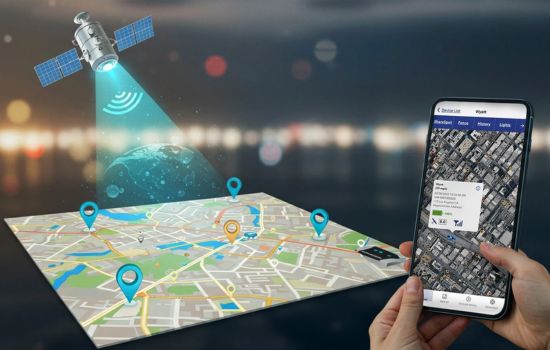
Understanding the technology behind GPS apps helps appreciate their remarkable capabilities. These applications rely on a network of satellites orbiting Earth, constantly transmitting signals that your smartphone receives and processes to determine your precise location.
Anúncios
The Global Positioning System consists of at least 24 satellites positioned in medium Earth orbit. Your device needs signals from at least four satellites to calculate your three-dimensional position accurately, including latitude, longitude, and altitude. The process happens in milliseconds, creating the seamless experience we’ve come to expect.
Beyond basic positioning, modern GPS apps integrate multiple data sources. They combine satellite information with cellular tower triangulation, Wi-Fi positioning, and accelerometer data to maintain accuracy even in challenging environments like dense urban areas or tunnels. This multi-layered approach ensures your navigation remains reliable regardless of conditions.


📱 Essential Features That Define Great GPS Apps
Not all navigation applications are created equal. The best GPS apps share certain characteristics that elevate them above basic mapping tools. Understanding these features helps you choose the right application for your specific needs.
Real-Time Traffic Intelligence
Traffic updates separate good GPS apps from exceptional ones. Premium applications monitor road conditions continuously, analyzing data from millions of users to identify congestion, accidents, and road closures. This intelligence allows the app to automatically reroute you around problems, potentially saving hours of frustration during your journey.
Some apps take this further by predicting traffic patterns based on historical data. They can tell you the best time to leave for your morning commute or warn you about typical slowdowns on your planned route.
Offline Mapping Capabilities
Internet connectivity isn’t always guaranteed, especially when traveling internationally or through remote areas. Quality GPS applications allow you to download maps for offline use, ensuring navigation continues even without data coverage.
This feature proves invaluable for international travelers who want to avoid expensive roaming charges while still maintaining full navigation functionality. Downloaded maps typically include points of interest, street names, and routing capabilities that function identically to the online experience.;
Voice-Guided Navigation
Safety while driving requires keeping your eyes on the road. Voice guidance transforms your GPS app into a virtual co-pilot, providing turn-by-turn directions audibly so you never need to glance at your screen.
Advanced voice systems announce street names, lane guidance, and upcoming maneuvers with natural-sounding speech. Some applications even adjust volume automatically based on ambient noise levels in your vehicle, ensuring you always hear directions clearly.
🚗 Popular GPS Apps and Their Unique Strengths
The navigation app market features several dominant players, each offering distinct advantages. Knowing what sets each apart helps you select the perfect match for your travel style.
Community-Powered Navigation
Some GPS applications thrive on community input, where millions of users contribute real-time information about road conditions. These crowdsourced apps alert you to police presence, speed cameras, hazards on the road, and even the best gas prices along your route.
The social aspect creates a collaborative driving experience where users help each other navigate more efficiently and safely. This community intelligence often proves more current than official traffic reports, giving you an edge in avoiding delays.
Comprehensive Mapping Solutions
Other applications focus on comprehensive mapping data, offering detailed information about virtually every location on Earth. These apps excel at discovering points of interest, reading reviews, viewing photos of destinations, and even exploring locations virtually before you arrive.
Integration with other services allows these apps to provide complete journey planning, including public transportation options, walking directions, cycling routes, and ride-sharing coordination all within a single interface.
Specialized Navigation Tools
Certain GPS applications cater to specific user groups. Trucking apps consider vehicle height, weight restrictions, and hazardous material regulations. Hiking apps provide topographic maps and trail information. Marine navigation apps offer nautical charts and tide predictions.
These specialized tools deliver features that general-purpose apps can’t match, making them essential for professionals and enthusiasts in particular fields.
🌟 Maximizing Your GPS App Experience
Simply installing a navigation app doesn’t guarantee optimal results. These practical tips help you extract maximum value from your chosen GPS application.
Customize Your Settings
Spend time exploring your app’s settings menu. Most applications offer extensive customization options that significantly enhance usability. You can typically adjust:
- Route preferences (fastest, shortest, or avoiding highways)
- Map display themes (day, night, automatic switching)
- Voice guidance language and volume
- Unit preferences (miles or kilometers)
- Notification types and frequency
Tailoring these settings to your preferences transforms the navigation experience from generic to personalized, making the app feel like it was designed specifically for you.;
Keep Your App Updated
GPS applications receive frequent updates that improve accuracy, add features, and expand map coverage. Enabling automatic updates ensures you always benefit from the latest improvements without thinking about it.
Map data constantly changes as new roads open, businesses relocate, and construction projects alter routes. Regular updates keep your navigation current, preventing frustrating situations where your app directs you to closed roads or outdated locations.
Manage Battery Consumption
GPS navigation drains smartphone batteries quickly due to constant screen usage, GPS signal processing, and cellular data transmission. Smart battery management extends your navigation capability during long journeys.
Consider using a car charger during extended trips, reducing screen brightness when safe to do so, and closing unnecessary background apps. Some navigation apps include battery-saving modes that reduce update frequency or simplify graphics without compromising core functionality.
🌍 GPS Apps for International Travel
Navigating foreign countries presents unique challenges that domestic travel rarely involves. International-friendly GPS apps address these specific concerns with features designed for globe-trotters.
Handling Language Barriers
Quality international GPS apps display place names in both local scripts and transliterated versions, helping you communicate with locals when asking for directions. Some applications even integrate translation features, allowing you to understand reviews and descriptions in unfamiliar languages.
Voice guidance in your native language provides comfort when navigating countries where you don’t speak the local language, ensuring you understand directions even when street signs remain incomprehensible.
Data-Free Navigation
International data roaming costs can shock travelers with unexpectedly large bills. GPS apps with robust offline capabilities eliminate this concern entirely, allowing full navigation functionality without any data connection.
Before departing, download complete maps for your destination countries. Most apps compress data efficiently, so entire countries occupy surprisingly little storage space on your device. This preparation provides peace of mind and significant cost savings.
🔒 Privacy Considerations with GPS Applications
Navigation apps require access to your location, raising legitimate privacy questions. Understanding how applications handle your data empowers you to make informed decisions about which apps to trust.
Location Data Collection
GPS apps collect location data to provide navigation services, but policies vary regarding how companies use this information. Some applications anonymize and aggregate data to improve traffic predictions and map accuracy. Others may use location history for advertising purposes or share data with third parties.
Review privacy policies carefully, and explore your app’s privacy settings. Many applications allow you to limit data collection, delete location history, or prevent certain types of tracking while still maintaining core navigation functionality.
Permissions Management
Modern smartphones give you granular control over app permissions. You can typically choose whether apps access your location always, only while using the app, or never. For navigation apps, “while using” provides adequate functionality without allowing constant background tracking.
Periodically review which apps have location access and revoke permissions from applications that don’t truly need them. This practice protects your privacy without sacrificing the convenience of GPS navigation when you actually need it.
💡 Future Innovations in GPS Technology
Navigation technology continues evolving rapidly, with exciting developments on the horizon that will transform how we interact with GPS applications.
Augmented Reality Navigation
Augmented reality overlays directional information onto live camera views of your surroundings. Instead of interpreting abstract maps, you see arrows and indicators superimposed on the actual streets ahead, making navigation intuitive even in complex urban environments.
This technology particularly benefits pedestrian navigation, where traditional turn-by-turn directions often create confusion. AR guidance eliminates ambiguity by showing exactly where to turn in the context of what you’re actually seeing.
AI-Powered Predictions
Artificial intelligence enhances GPS apps by learning your patterns and anticipating your needs. Smart applications predict your likely destinations based on time, day, and habits, preparing routes before you even request them.
Machine learning algorithms analyze vast datasets to provide increasingly accurate arrival time estimates, accounting for factors like your personal driving style, typical traffic patterns on specific days, and even weather conditions that might affect journey times.
Integration with Autonomous Vehicles
As self-driving technology advances, GPS applications will evolve from passenger assistants to vehicle control systems. Future navigation apps might communicate directly with autonomous vehicles, automatically routing and operating cars while passengers focus on other activities.
This transformation will fundamentally change our relationship with navigation technology, shifting from active tools we control to intelligent systems that operate independently on our behalf.
🎯 Choosing the Right GPS App for Your Needs
With dozens of navigation applications available, selecting the ideal one requires evaluating your specific requirements and priorities.
Commuters prioritize real-time traffic updates and alternative route suggestions that save time during daily travel. Apps with predictive capabilities that suggest departure times or warn about unusual delays provide significant value for regular routes.
Adventure travelers need offline maps, topographic information, and trail guidance. Applications designed for outdoor recreation include features like altitude tracking, weather overlays, and waypoint marking that urban navigation apps lack.
International travelers benefit most from apps with extensive global coverage, offline functionality, and multi-language support. The ability to download maps for entire countries and navigate without internet connectivity proves essential for stress-free overseas adventures.
Professional drivers—including delivery personnel, truckers, and rideshare operators—require specialized features like commercial route planning, multiple stop optimization, and vehicle-specific restrictions. General-purpose apps rarely meet these demanding professional needs adequately.
⚡ Troubleshooting Common GPS App Issues
Even the best navigation apps occasionally encounter problems. Knowing how to resolve common issues quickly gets you back on track without frustration.
Inaccurate Location Detection
If your GPS app shows you in the wrong location, first ensure location services are enabled in your phone settings. Move to an area with clear sky visibility, as buildings and dense foliage can block satellite signals. Restarting your device often resolves temporary GPS glitches.
Slow Route Calculation
Navigation apps occasionally take longer than expected to calculate routes. This typically occurs when requesting directions in areas with limited map data or complex road networks. Ensuring your app is updated and clearing cached data sometimes improves calculation speed.
Voice Guidance Not Working
Silent navigation usually results from muted app audio or system volume settings. Check both the app’s internal volume controls and your device’s master volume. Some phones have separate volume controls for media and notifications, so experiment with different volume sliders.
🚀 Getting Started with Your First GPS App
New users sometimes feel overwhelmed by feature-rich navigation applications. This simple process helps you start using GPS apps confidently within minutes.
Download your chosen app from your device’s official app store. Grant necessary permissions, particularly location access, which enables core navigation functionality. Take a few moments to explore the interface and familiarize yourself with basic controls before your first journey.
Try searching for a familiar location to understand how the search function works. Enter addresses, business names, or points of interest to see how the app interprets different query types. Practice starting navigation for short trips around your neighborhood before depending on the app for critical journeys.
Most GPS applications include helpful tutorials or guided tours that demonstrate key features. Investing ten minutes in these introductions significantly accelerates your learning curve and helps you discover useful capabilities you might otherwise overlook.
The world of GPS applications offers remarkable tools that simplify navigation and enhance our mobility. From daily commutes to international adventures, these digital guides have become trusted companions for billions of travelers worldwide. By understanding their capabilities, customizing their features, and choosing applications aligned with your specific needs, you transform every journey into a more efficient, less stressful experience. The technology continues advancing, promising even more intuitive and intelligent navigation solutions in the years ahead. 🌐
