
Anúncios
Ever thought about pranking your friends with a completely different voice on WhatsApp? Voice changer apps make it easy and fun to transform your audio messages into hilarious new versions.
WhatsApp has become more than just a messaging platform—it’s where we share our daily moments, communicate with loved ones, and express ourselves creatively. Audio messages have gained massive popularity because they add a personal touch to our conversations. But what if you could take those voice notes to the next level?
Anúncios
Voice changer applications offer an entertaining way to modify your voice recordings before sending them through WhatsApp. Whether you want to sound like a robot, add echo effects, or completely disguise your identity, these tools provide endless possibilities for creativity and fun. Let’s explore how you can transform your WhatsApp voice messages into something extraordinary.
🎭 Why Use a Voice Changer App for WhatsApp?
Voice changing technology has evolved significantly over the years. What once required expensive studio equipment can now be done right from your smartphone. The reasons people use these apps vary widely, from entertainment to privacy concerns.
Anúncios


Some users simply want to add humor to their conversations. Imagine sending a birthday message that sounds like Darth Vader or a chipmunk version of yourself singing happy birthday. These moments create memorable experiences that text messages simply can’t replicate.
Others appreciate the privacy aspect. Voice changers can help protect your identity when you need to communicate without revealing your real voice. This feature proves particularly useful for content creators, online tutors, or anyone who values their vocal anonymity.
Additionally, parents often use voice changers to entertain their children, creating funny bedtime stories or pretending to be cartoon characters. The educational applications are also noteworthy—language learners use pitch and speed modifications to practice pronunciation and comprehension.
📱 How Voice Changer Apps Actually Work
Understanding the technology behind voice modification helps you appreciate what these apps can do. Voice changers use digital signal processing (DSP) to alter the characteristics of your recorded audio in real-time or post-recording.
The process typically involves several key modifications:
- Pitch shifting: Raises or lowers the frequency of your voice to make it sound higher or deeper
- Formant manipulation: Changes the resonant frequencies that give your voice its unique quality
- Speed alteration: Adjusts the playback speed without affecting pitch
- Audio effects: Adds reverb, echo, distortion, or other sound modifications
- Timbre adjustment: Modifies the tone color of your voice
Modern voice changer apps combine multiple algorithms to create convincing transformations. The best applications maintain audio quality while applying effects, ensuring your message remains clear and understandable despite the modifications.
Some advanced apps use artificial intelligence and machine learning to create more realistic voice transformations. These AI-powered features can mimic specific celebrity voices or create entirely new vocal personalities based on your preferences.
🌟 Top Features to Look for in a Voice Changer App
Not all voice changing applications are created equal. When selecting the right app for your WhatsApp voice messages, consider these essential features that separate exceptional tools from mediocre ones.
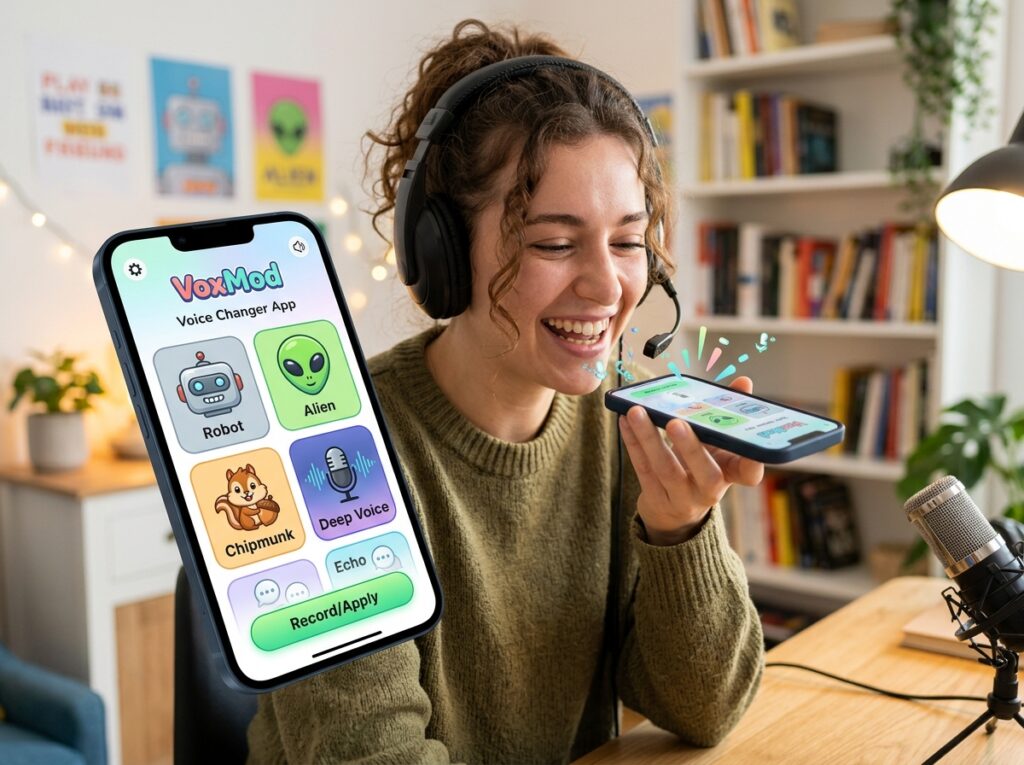
First, look for a wide variety of voice effects and filters. The best apps offer dozens of preset options ranging from realistic transformations to fantastical effects. Categories might include animals, robots, celebrities, cartoon characters, scary voices, and atmospheric effects.
User interface matters significantly. An intuitive design allows you to quickly record, modify, and share your audio without navigating through complicated menus. The recording process should be straightforward, with easy access to effects and editing tools.
Audio quality preservation is crucial. Voice modification shouldn’t result in distorted, unintelligible messages. Premium apps maintain clarity while applying effects, using high-quality encoding that sounds great even after compression by messaging platforms.
Integration capabilities determine how easily you can share your modified audio. Direct sharing options to WhatsApp, along with support for other social platforms, streamline the entire process. Some apps even offer background recording and automatic saving features.

🎤 Step-by-Step Guide to Changing Your Voice for WhatsApp
Transforming your voice for WhatsApp messages is simpler than you might think. Once you’ve downloaded a quality voice changer app, follow these straightforward steps to create and send modified audio messages.
Step 1: Install and Open Your Voice Changer App
Download your chosen voice modification application from the Play Store or App Store. Launch the app and grant necessary permissions for microphone access. Most apps request storage permissions as well to save your recordings.
Step 2: Record Your Audio Message
Tap the record button and speak your message clearly. Don’t worry about speaking differently—the app will handle the transformation. Keep your recording concise and expressive, as emotions translate better through voice modifications.
Step 3: Select Your Desired Effect
Browse through available voice effects and choose the one that fits your mood or message. Preview different options to find the perfect transformation. Many apps allow you to apply multiple effects simultaneously for unique combinations.
Step 4: Fine-Tune Your Audio
Adjust intensity levels, add background sounds, or trim unnecessary portions from your recording. Some apps offer equalizer settings for professional-level customization. Take advantage of preview functions before finalizing your audio.
Step 5: Share to WhatsApp
Use the share function to send your modified voice message directly to WhatsApp. Select your recipient or group chat, and send your transformed audio. The file will appear as a regular voice message to your contacts.
💡 Creative Ways to Use Voice-Changed Messages
Beyond simple pranks, voice changers open up numerous creative possibilities for WhatsApp communication. These applications can enhance your messaging experience in ways you might not have considered.
Create character voices for storytelling sessions with children or friends. Transform yourself into different personalities when narrating stories, making the experience more immersive and entertaining. Kids especially love hearing their parents or relatives speak in funny or unusual voices.
Use voice modification for surprise announcements or special occasions. A birthday greeting delivered in a celebrity voice or a promotion announcement in a dramatic movie trailer voice adds excitement and memorability to important messages.
Language learners can benefit from speed and pitch adjustments to better understand pronunciation patterns. Slowing down audio helps with comprehension, while pitch changes can highlight tonal differences in languages like Mandarin or Thai.
Content creators and influencers use voice changers to maintain anonymity while sharing information or building mysterious online personas. This technique works particularly well for commentary channels, mystery content, or educational material where voice recognition isn’t necessary.
Musicians and vocalists experiment with voice effects to develop new sounds or practice harmonies. Some apps offer musical effects that transform spoken words into melodic patterns, creating unique audio experiences.
🔒 Privacy and Security Considerations
While voice changing apps provide entertainment and utility, it’s important to understand the privacy implications of using such applications. Being informed helps you make responsible choices about when and how to use voice modification technology.
Most reputable voice changer apps process audio locally on your device, meaning your recordings aren’t uploaded to external servers. This local processing protects your privacy and ensures your original voice samples remain secure. Always check the app’s privacy policy before installation.
However, be mindful that using voice changers to deceive others can have ethical and legal consequences. While pranking friends is generally harmless fun, using voice modification for fraud, harassment, or impersonation crosses serious legal boundaries.
Consider the recipient’s perspective when sending modified voice messages. Some people might find them amusing, while others could be confused or uncomfortable. Clear communication about your use of voice effects maintains trust in your relationships.
Protect your recordings by using apps that don’t require unnecessary permissions. Be cautious of applications requesting access to contacts, location, or other unrelated data. Legitimate voice changers only need microphone and storage permissions to function properly.
🎨 Comparing Free vs. Premium Voice Changer Options
Voice changing applications typically come in both free and paid versions. Understanding the differences helps you decide which option best suits your needs and budget.
Free versions usually offer basic voice effects and limited functionality. You’ll find essential transformations like pitch shifting, speed changes, and a selection of popular effects. These versions often include advertisements and may restrict the number of recordings or export quality.
Premium subscriptions unlock advanced features such as:
- Extensive effect libraries with hundreds of voice transformations
- High-quality audio export without compression
- Ad-free experience for uninterrupted creativity
- Advanced editing tools including equalizers and multi-track mixing
- Background noise reduction and audio enhancement
- Custom voice creation and saving personal presets
- Priority customer support and regular updates
For occasional users who want simple voice modifications for entertainment, free versions typically suffice. The basic effects provide plenty of options for casual WhatsApp messaging and pranking friends.
Content creators, professionals, or frequent users benefit more from premium features. The enhanced audio quality, extensive effect libraries, and professional tools justify the investment when voice modification becomes a regular part of your communication or work.
🚀 Advanced Tips for Better Voice Modifications
Mastering voice changer apps requires more than just selecting effects randomly. These professional tips help you create more convincing and entertaining voice transformations.
Recording environment significantly impacts your final audio quality. Choose quiet spaces with minimal background noise. Echo and ambient sounds become more noticeable after voice modification, so carpeted rooms or spaces with soft furnishings work better than empty, hard-surfaced areas.
Microphone technique matters even with smartphone recordings. Hold your device at a consistent distance from your mouth—about six to eight inches typically produces optimal results. Speaking directly into the microphone rather than at an angle captures clearer audio.
Experiment with layering multiple effects for unique voice combinations. Many apps allow you to apply several modifications simultaneously. Try combining a slight pitch shift with reverb and a robot effect for otherworldly results.
Match your speaking style to the effect you’re using. When creating a deep, scary voice, speak more slowly and deliberately. For chipmunk or cartoon voices, naturally higher energy and faster speech patterns work better. The effect enhances your performance rather than doing all the work.
Save your favorite combinations as custom presets if your app supports this feature. Creating a personal library of go-to effects saves time and ensures consistency when you’ve found combinations that work particularly well.
🎯 Troubleshooting Common Voice Changer Issues
Even the best applications occasionally encounter problems. Knowing how to resolve common issues ensures smooth operation when you want to create modified voice messages.
Poor Audio Quality: If your modified recordings sound distorted or unclear, check your input volume levels. Recording too loudly causes clipping and distortion that effects can’t fix. Speak at normal conversational volume and position your microphone appropriately.
App Crashes or Freezing: Voice processing requires significant computational resources. Close unnecessary background apps to free up memory. Updating to the latest app version often resolves stability issues, as developers regularly fix bugs and optimize performance.
Effects Not Working Properly: Some effects sound better with certain voice types and ranges. If an effect doesn’t produce the expected result, try adjusting intensity sliders or selecting a different base effect before applying modifications.
WhatsApp Sharing Problems: If you can’t share directly to WhatsApp, try saving the audio file first, then manually attaching it as a voice message. Ensure WhatsApp has permission to access your device storage.
Delayed Playback or Lag: Real-time voice changing demands more processing power than post-recording modification. If experiencing lag, use the record-then-modify approach rather than live effects. This method produces better quality results anyway.
🌈 The Future of Voice Modification Technology
Voice changing technology continues evolving rapidly, with artificial intelligence driving the next generation of audio transformation capabilities. Understanding emerging trends helps you anticipate what’s coming next.
AI-powered voice cloning is becoming increasingly sophisticated and accessible. Future apps may allow you to create custom voice models based on short audio samples, enabling you to speak in anyone’s voice (within legal and ethical boundaries). This technology will revolutionize content creation and personalization.
Real-time voice translation combined with voice preservation represents another exciting frontier. Imagine speaking in English while your recipient hears your message in Spanish—but still with your distinctive vocal characteristics preserved. This integration of translation and voice technology could eliminate language barriers while maintaining personal connection.
Emotional modulation features are emerging, allowing you to adjust the emotional tone of your voice independently from the words. Apps might soon let you make your voice sound happier, sadder, or more excited regardless of your actual emotional state during recording.
Integration with augmented reality and virtual reality platforms will create immersive communication experiences where voice modification works seamlessly with virtual avatars and digital environments. Your voice will match your chosen digital representation automatically.
✨ Making the Most of Your Voice Changing Experience
Voice modification apps transform ordinary WhatsApp conversations into creative, entertaining exchanges. Whether you’re looking to add humor to your messages, protect your privacy, or simply explore creative audio possibilities, these tools offer accessible and powerful features.
Start with simple effects and gradually explore more complex modifications as you become comfortable with your chosen app. Remember that the best voice-changed messages combine technical quality with creative application—technology enables your creativity but doesn’t replace it.
Respect your recipients by using voice effects appropriately and considerately. Clear communication about when you’re using modified audio maintains trust and ensures everyone enjoys the experience. Voice changers work best when they enhance rather than confuse your conversations.
Experiment freely with different effects, recording techniques, and creative applications. The more you practice, the better you’ll understand which modifications work best for different situations and how to achieve professional-sounding results from your smartphone.
Most importantly, have fun with voice modification technology. These apps exist to add joy, creativity, and novelty to your digital communication. Whether you’re pranking friends, entertaining family, creating content, or simply expressing yourself differently, voice changers open up new dimensions of audio expression that make every WhatsApp message potentially extraordinary.
