
Anúncios
Remote control apps are transforming how we interact with our devices, offering convenience, versatility, and smart home integration all from your smartphone.
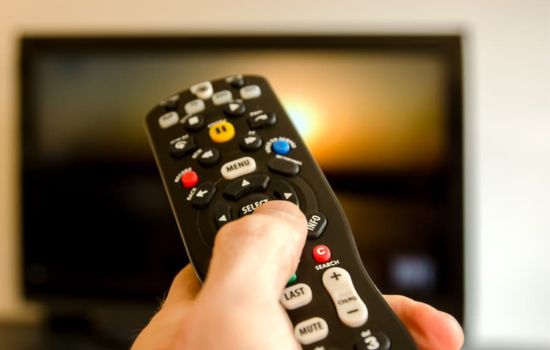
Gone are the days of juggling multiple physical remotes for your TV, air conditioner, sound system, and streaming devices. With a single remote control app on your smartphone, you can manage all your home electronics seamlessly. These innovative applications have evolved from simple infrared transmitters to sophisticated smart home hubs that connect via Wi-Fi, Bluetooth, and cloud services.
Anúncios
Whether you’ve lost your traditional remote, want to declutter your coffee table, or simply prefer the convenience of controlling everything from one device, remote control apps offer an elegant solution. They’re particularly valuable for smart home enthusiasts, travelers staying in hotel rooms, and anyone who appreciates the fusion of technology and simplicity in daily life.
📱 What Makes Remote Control Apps Essential Today
The modern living room has become a technological ecosystem. Between smart TVs, streaming sticks, soundbars, gaming consoles, and climate control systems, the average household manages dozens of devices. Remote control apps consolidate this complexity into a single, intuitive interface that fits in your pocket.
Anúncios
These applications leverage your smartphone’s built-in infrared blaster (on compatible devices) or connect through your home Wi-Fi network to communicate with various electronics. The convenience factor is undeniable—your phone is already with you throughout the day, making it the perfect universal remote.
Beyond basic functionality, premium remote control apps offer programmable macros, voice control integration, customizable button layouts, and even the ability to control devices when you’re away from home. This level of flexibility simply isn’t possible with traditional remotes.


🔧 How Remote Control Apps Actually Work
Understanding the technology behind these apps helps you choose the right solution for your needs. Most remote control applications use one of three primary connection methods, each with distinct advantages.
Infrared Technology (IR)
Traditional IR-based apps require your smartphone to have an infrared blaster—a small LED that emits infrared light signals identical to physical remotes. When you press a button in the app, it sends the corresponding IR code to your device. This method works with virtually any IR-compatible appliance, from decades-old TVs to modern air conditioners.
The limitation is that IR requires line-of-sight operation and a relatively close range. Your phone needs to be pointed at the device, just like a traditional remote. However, many users find this familiar and intuitive.
Wi-Fi and Network Connectivity
Smart TVs, streaming devices, and modern home electronics increasingly offer Wi-Fi connectivity. Remote control apps can connect to these devices over your local network, enabling control from anywhere in your home—even through walls and from other rooms.
This method typically offers more advanced features, including screen mirroring, content casting, keyboard input for easier text entry, and real-time device status updates. Apps using network connectivity often provide a richer, more responsive experience than IR-based solutions.
Bluetooth Integration
Some newer appliances and smart home devices use Bluetooth Low Energy (BLE) for remote control functionality. This technology balances range with battery efficiency, making it ideal for portable devices and accessories. Bluetooth connections typically pair quickly and maintain stable connections without requiring network infrastructure.
🎯 Key Features to Look For
Not all remote control apps are created equal. When evaluating options, consider these essential features that separate excellent apps from mediocre ones.
Device Compatibility Database
The best remote control apps maintain extensive databases of device codes covering thousands of manufacturers and models. This ensures your specific TV, air conditioner, or media player will be recognized and controllable. Look for apps that regularly update their device libraries to include newer models.
Customizable Interface
Your needs are unique, so your remote should reflect that. Premium apps allow you to customize button layouts, create personalized screens for different rooms or scenarios, and even design macro commands that execute multiple actions with a single tap.
Imagine pressing a “Movie Night” button that dims your smart lights, turns on your TV, switches to your streaming device, and adjusts your soundbar to cinema mode—all automatically. This level of customization transforms your smartphone into a genuine smart home controller.
Multi-Device Management
Effective remote control apps let you manage multiple devices simultaneously. You might want to control three TVs in different rooms, two air conditioners, a ceiling fan, and a sound system. The app should make switching between these devices effortless, perhaps through room-based organization or quick-switch menus.
Widget and Quick Access
Nobody wants to unlock their phone, find the app, wait for it to load, and navigate to the right remote every time they want to adjust the volume. Quality apps offer home screen widgets, lock screen controls, and notification shade shortcuts for instant access to your most-used functions.

💡 Practical Uses Beyond TV Control
While most people initially download remote control apps for their televisions, these versatile tools offer much broader functionality that can enhance various aspects of daily life.
Climate Control Management
Air conditioners, heaters, and fans often come with clunky remotes that are easy to lose. A remote control app gives you precise temperature control, scheduling capabilities, and the convenience of adjusting climate settings without getting out of bed. Some apps even track your usage patterns and suggest energy-saving adjustments.
Presentation and Meeting Room Control
Professionals frequently use remote control apps to manage projectors, conference room displays, and presentation equipment. Instead of fumbling with unfamiliar remotes during important meetings, you can control everything from your phone with confidence. The ability to advance slides, adjust volume, and switch inputs seamlessly can make you appear more polished and prepared.
Hotel and Travel Convenience
Travelers appreciate remote control apps when dealing with unfamiliar hotel room electronics. Rather than deciphering instructions in multiple languages or calling the front desk for help, you can quickly configure the app to work with the room’s TV and air conditioning system.
Accessibility Assistance
For individuals with mobility challenges or visual impairments, remote control apps offer significant accessibility advantages. Larger customizable buttons, voice control integration, haptic feedback, and screen reader compatibility make these apps more inclusive than traditional physical remotes with tiny buttons and unclear labels.
🛡️ Privacy and Security Considerations
As with any connected technology, remote control apps require thoughtful attention to privacy and security. Understanding potential vulnerabilities helps you use these tools safely.
Apps that connect via Wi-Fi have access to your home network. Reputable developers implement encryption and secure authentication, but lower-quality apps may have vulnerabilities. Always download remote control apps from official stores, check developer credentials, and review permission requests carefully.
Be cautious about apps requesting excessive permissions unrelated to their core functionality. A remote control app shouldn’t need access to your contacts, messages, or location data. If an app requests suspicious permissions, consider alternatives.
For network-connected remotes, ensure your home Wi-Fi uses strong encryption (WPA3 or WPA2 at minimum) and a secure password. This prevents unauthorized access to both your network and the devices connected to it.
🌟 Setting Up Your First Remote Control App
Getting started with a remote control app is typically straightforward, though the exact process varies slightly depending on your device and connection method.
First, verify whether your smartphone has an infrared blaster. Many Android devices from manufacturers like Xiaomi, Huawei, and Samsung include this feature, while iPhones do not. If your phone lacks IR capability, you’ll need to rely on Wi-Fi or Bluetooth connectivity, which limits you to compatible smart devices.
After installing your chosen app, you’ll typically go through a setup wizard that helps identify your devices. For IR-based control, this usually involves selecting your device brand and model from a database, then testing various functions to confirm the correct code set.
For Wi-Fi-connected devices, the app will scan your local network for compatible electronics. Make sure both your phone and target devices are connected to the same Wi-Fi network during setup. Some devices may require you to enable remote control functionality in their settings menus first.
Once configured, spend time customizing the interface to suit your preferences. Rename devices with easily recognizable names, organize them by room or function, and create any custom buttons or macros you’ll use regularly.
🚀 Advanced Tips for Power Users
After mastering the basics, these advanced techniques will help you maximize your remote control app’s potential and create a truly seamless smart home experience.
Integration with Virtual Assistants
Many premium remote control apps integrate with Amazon Alexa, Google Assistant, or Apple Siri. This enables voice control commands like “turn on the living room TV” or “set the bedroom air conditioner to 72 degrees.” Voice integration is particularly convenient when your hands are full or you’re across the room.
Automation and Scheduling
Look for apps that offer scheduling features. You might program your TV to turn off automatically at bedtime, have your air conditioner activate before you arrive home from work, or create routines that adjust multiple devices based on time of day.
Backup and Sync Across Devices
If you’ve invested time creating custom layouts and macros, you’ll want to protect that work. Quality apps offer cloud backup and synchronization, allowing you to restore your configuration if you switch phones or use the same settings across multiple devices like your phone and tablet.
Learning Mode for Unsupported Devices
Some advanced remote control apps include learning mode, which lets you teach the app new commands by pointing your original remote at your phone’s IR sensor (if equipped). This feature ensures compatibility even with obscure or very new devices not yet in the app’s database.
🔄 Troubleshooting Common Issues
Even the best remote control apps occasionally encounter problems. These troubleshooting strategies resolve the most common issues quickly.
If your IR-based remote isn’t working, first ensure your phone’s IR blaster isn’t blocked by a case or debris. Clean the IR port gently with a soft cloth. Verify you’re within range (typically 5-10 meters) and have line-of-sight to the device. Try selecting a different code set for your device brand, as manufacturers sometimes use multiple IR protocols.
For Wi-Fi connectivity problems, confirm both devices are on the same network and that your router isn’t isolating connected devices from each other (some guest networks do this intentionally). Restart both your phone and the target device, then attempt reconnection. Check that your smart device’s firmware is updated to the latest version.
If the app crashes frequently or responds slowly, try clearing its cache and data through your phone’s settings, then reconfigure your devices. Ensure you’re running the latest version of the app and that your phone’s operating system is updated.
📊 Comparing Popular Remote Control Apps
The app marketplace offers dozens of remote control solutions, each with different strengths. Understanding the landscape helps you choose the right tool for your specific needs.
Universal remote apps designed for broad device compatibility typically support the widest range of electronics but may offer less sophisticated control for specific brands. In contrast, manufacturer-specific apps from companies like Samsung, LG, or Roku provide deep integration with their own products but limited or no support for other brands.
Free apps usually offer basic functionality with advertisements and may request extensive permissions for monetization purposes. Premium paid apps or subscription services typically provide ad-free experiences, more frequent updates, better customer support, and advanced features like cloud sync and unlimited device profiles.
Consider whether you prioritize breadth of device support, interface customization, smart home integration, or specific features like voice control or automation. Reading recent user reviews reveals real-world performance and helps identify apps that work well with your particular devices.
🌐 The Future of Remote Control Technology
Remote control apps represent just one chapter in the ongoing evolution of how we interact with technology. Emerging trends suggest even more seamless integration ahead.
Artificial intelligence and machine learning will enable remote control apps to learn your preferences and habits, automatically adjusting devices based on context. Your app might recognize when you typically watch TV and pre-warm the screen, or adjust your air conditioner based on weather forecasts and your historical comfort preferences.
Matter, the new smart home connectivity standard, promises better interoperability between devices from different manufacturers. This should reduce compatibility frustrations and enable remote control apps to work seamlessly with virtually any smart device regardless of brand.
Gesture control and spatial awareness technologies may eventually allow you to control devices through natural hand movements or even eye tracking, making physical buttons—whether on remotes or phones—unnecessary. However, for the foreseeable future, smartphone-based remote control apps will remain the most practical and accessible solution.
✨ Making the Switch: Is It Right for You?
Remote control apps offer compelling advantages, but they’re not perfect for everyone or every situation. Consider these factors when deciding whether to embrace smartphone-based control.
If you value convenience, appreciate technology, and already use your smartphone extensively throughout the day, remote control apps will feel natural and empowering. They’re particularly beneficial for people with multiple devices, smart home enthusiasts, or anyone who frequently misplaces physical remotes.
However, if you prefer dedicated physical buttons, share control devices with less tech-savvy family members, or worry about your phone’s battery life, you might appreciate having traditional remotes as backups. Many households find that a hybrid approach works best—using smartphone apps as the primary control method while keeping physical remotes available for guests or emergencies.
The beauty of remote control apps is their flexibility. You can try several options risk-free, experiment with different control methods, and customize your setup to perfectly match your lifestyle. There’s no single right answer—only the solution that works best for your unique circumstances and preferences.
As our homes become increasingly connected and our devices more numerous, the smartphone in your pocket represents the ultimate universal remote—powerful, customizable, and always within reach. Remote control apps transform this everyday device into a central hub for managing your entire electronic ecosystem, simplifying life one button press at a time.
